
Free, from Studio104
104
Invoice
My invoice software went from $6 to $23 a month. Just to create an invoice. So I built my own, and you can have it for free.
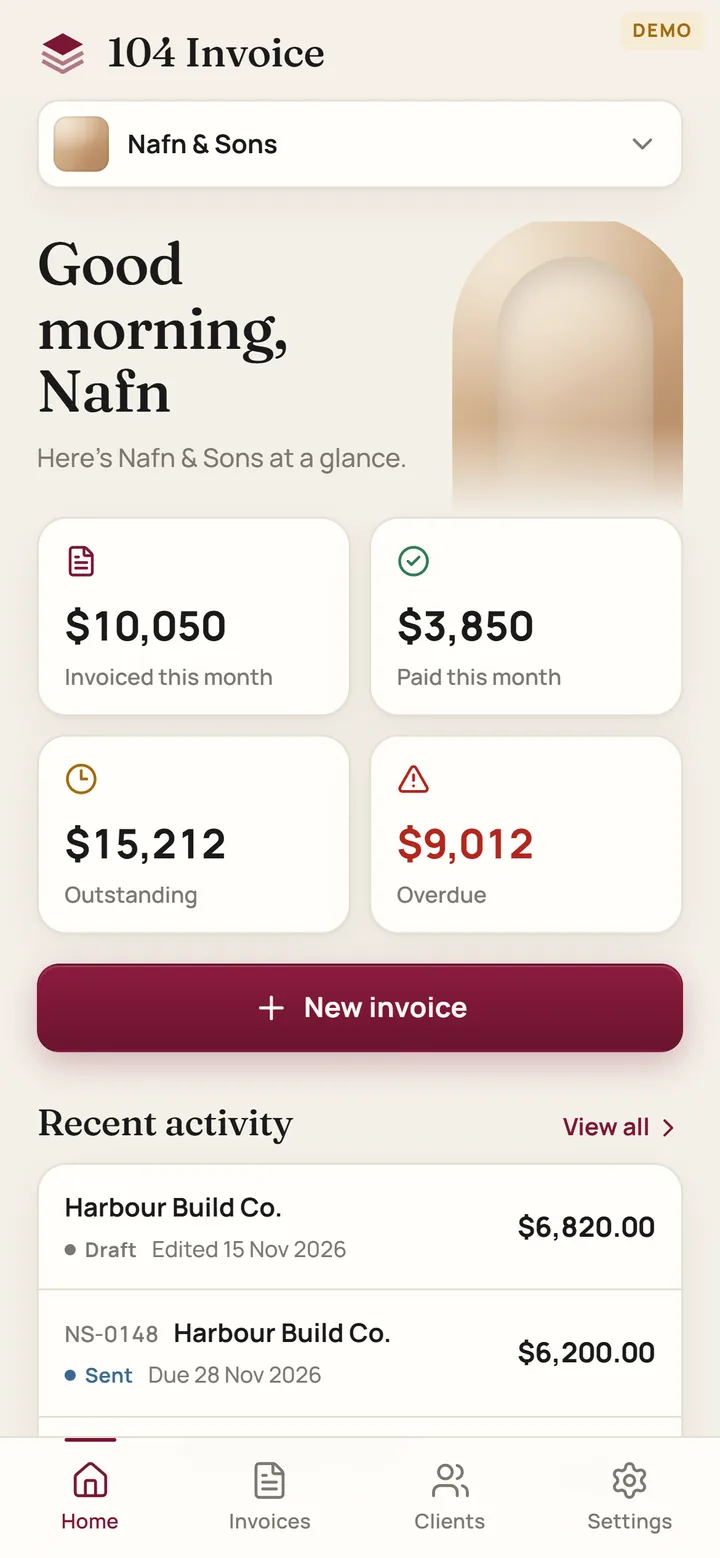
104 Invoice makes proper tax invoices with your ABN and the GST worked out, keeps track of who has paid and who hasn't, and saves a clean PDF you can send straight from your phone. No account, no subscription, no catch. Your invoices live on your phone, not on someone else's server.

03 The invoice
What your client gets
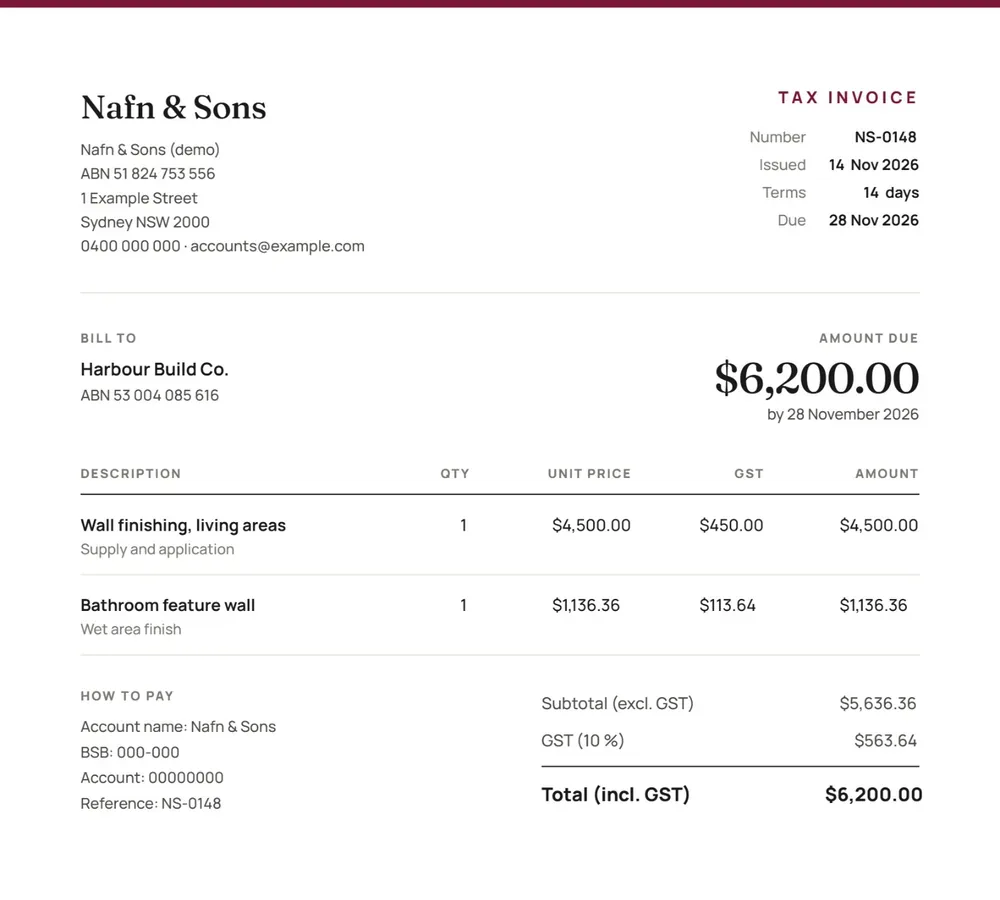
One tap on Save PDF and this is what lands in their inbox. Tidy enough that nobody asks what software you used.
- iYour business name, ABN and contact details up top
- iiGST worked out per line, with the totals done for you
- iiiYour bank details and the invoice number as the reference
- ivMarked paid in the app, the next copy shows the balance
Keep it on your home screen
It isn't in the App Store and it doesn't need to be. Add it to your home screen once and it opens full screen, like any other app. Free, for good.
A iPhone
- Open studio104.au/invoices in Safari.
- Tap the Share button at the bottom of the screen.
- Scroll down and tap Add to Home Screen.
- Tap Add. 104 Invoice is now on your home screen.
B Android
- Open studio104.au/invoices in Chrome.
- Tap the three dots at the top right.
- Tap Add to Home screen (on some phones it says Install app).
- Tap Install or Add. That's it.
No accountNothing to sign up for. Open it and start invoicing.
Stays on your phoneYour clients and invoices are saved on your device. Make a backup from Settings now and then.
More than one businessRun a couple of businesses? Switch between them from the top of the home screen.